
Learn how to format your documents so they work seamlessly with AmendFlow.
Before generating amendments in AmendFlow, your source document must be formatted in a specific way. The setup process is identical to preparing a document for a traditional mail merge.
You will need to identify the fields you want to personalize, such as employee name, title, compensation, or effective date, and insert them as placeholders within your agreement template. Once your document is structured correctly, AmendFlow can automatically populate those fields across every generated amendment.
Step 1
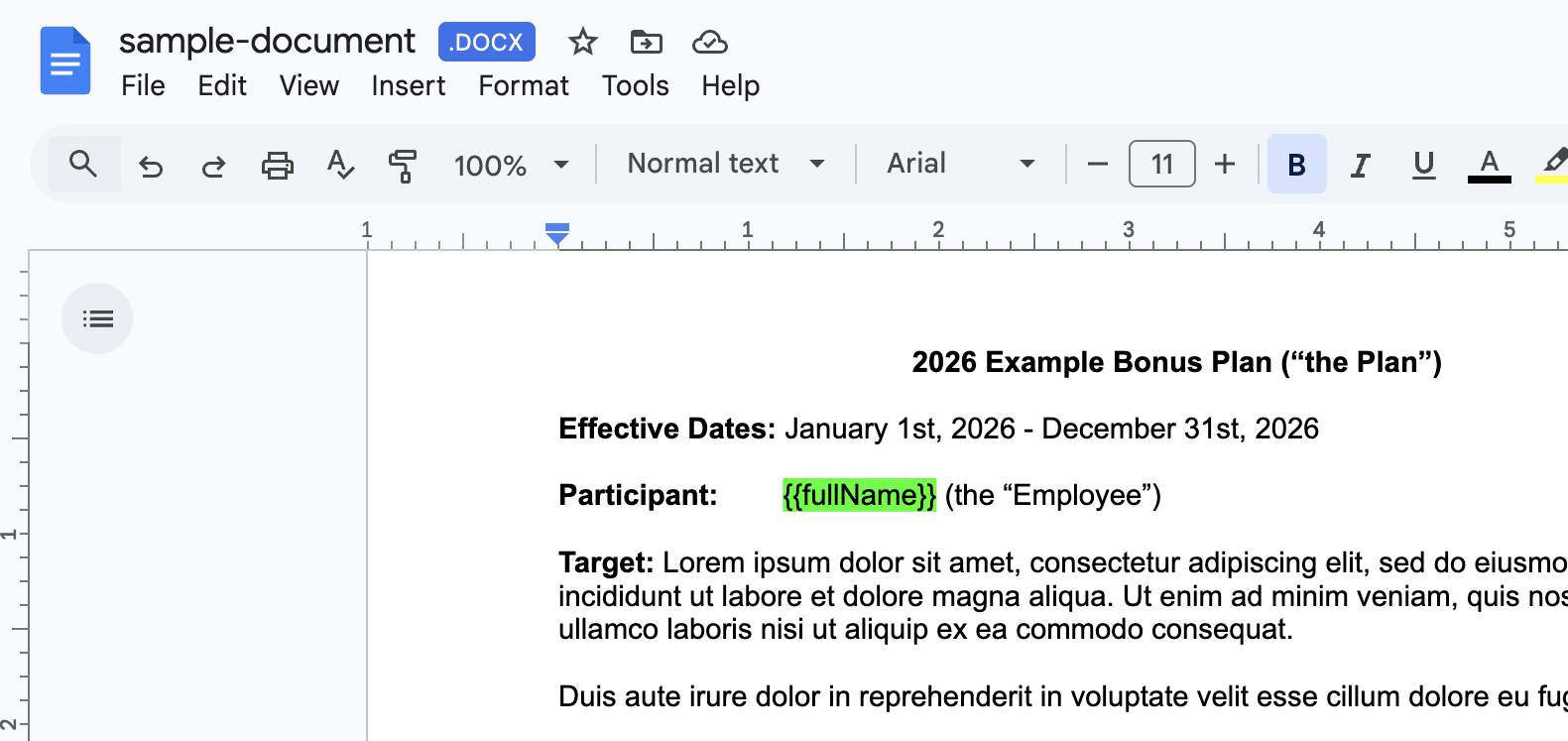
When preparing your template, dynamic fields must be written using double curly braces in the following format: {{placeholder}}.
Each placeholder should match the corresponding column name in your data file exactly. For example, you might use {{employeeName}}, or {{jobTitle}} within the template.
During generation, AmendFlow replaces each placeholder with the appropriate value for every individual document.
Export your template as a DOCX file.
Step 2
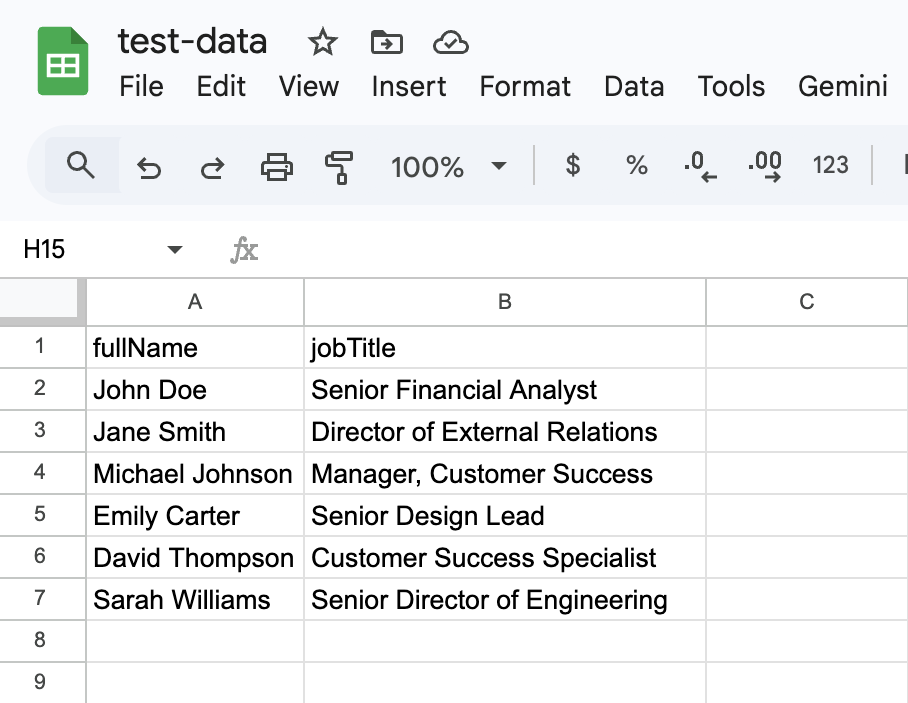
To generate documents, you'll also need a spreadsheet containing the data for each record. In Row 1, enter the column headers that correspond exactly to the placeholders used in your document template. For example, if your template includes {{employeeName}}, your spreadsheet must include a column header named employeeName.
Each subsequent row should contain the data for a single record, with values entered under the appropriate columns. Every row represents one document that will be generated.
Export your data as either an XLSX or CSV file.
We hope this guide made this process straightforward and easy to follow. If you run into any issues, have questions about setup, or have ideas for future improvements, we'd love to hear from you.